


INTRO
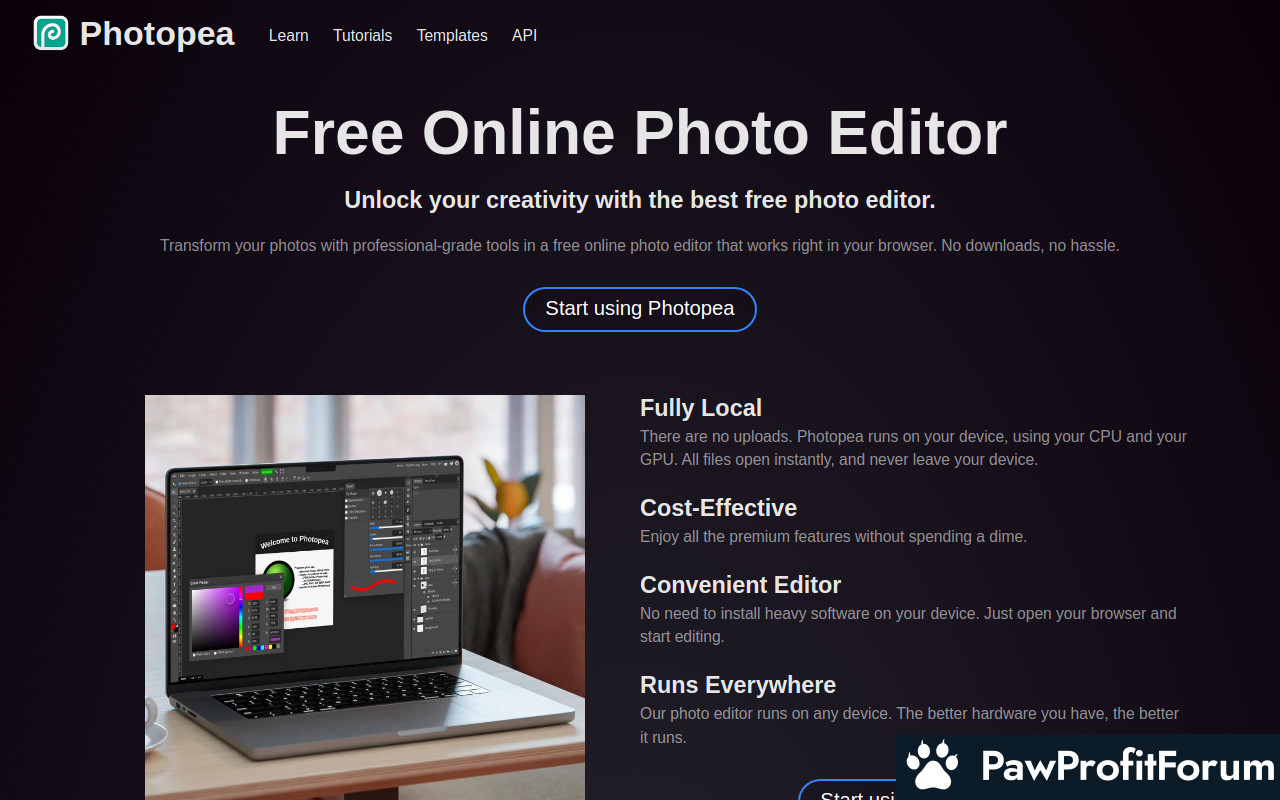
Photopea is a sophisticated online image editor that brings professional-grade photo editing capabilities directly to your web browser. As a versatile tool in the realm of graphic design and digital imaging, it caters to both beginners and seasoned professionals by offering a robust suite of features comparable to desktop-based software like Adobe Photoshop. It supports a wide range of file formats, including PSD, XCF, Sketch, and RAW, making it a convenient solution for editing various types of images and design files.
ALL YOU NEED TO KNOW AND HOW IT WORKS
Photopea operates entirely within your web browser, eliminating the need for software downloads or installations. Users can upload images from their computers or directly from URLs, and start editing immediately. The interface is designed to be familiar to those who have used other popular image editors, with tools organized in a similar fashion. Photopea offers a comprehensive set of features, including layers, masks, filters, and various selection tools. It also supports scripting and automation, allowing users to streamline repetitive tasks.
What Makes Photopea Stand Out?
How to Maximize Your Experience on Photopea
Why Trust Photopea?
Photopea has gained a reputation as a reliable and feature-rich online image editor. It has been praised for its accessibility, functionality, and commitment to providing a high-quality editing experience without requiring users to pay for expensive software licenses. The platform is developed and maintained by a dedicated team that actively responds to user feedback and continuously improves the software.
FAQs
SUMMARY
Photopea is a powerful and versatile online image editor that offers a free alternative to traditional desktop-based software. With its comprehensive feature set, wide file format support, and user-friendly interface, it is an excellent choice for both beginners and professionals looking to edit images and create stunning designs directly in their web browser.
PawProfitForum does not endorse communities that promise unrealistic returns through potentially unethical practices. We are committed to promoting safe, informed, and ethical participation in the cryptocurrency space. We urge our audience to remain cautious, perform thorough research, and consider the broader implications of their investment decisions. All the above reviews include unverified information. Please conduct your own research. Share your feedback
Photopea is a sophisticated online image editor that brings professional-grade photo editing capabilities directly to your web browser. As a versatile tool in the realm of graphic design and digital imaging, it caters to both beginners and seasoned professionals by offering a robust suite of features comparable to desktop-based software like Adobe Photoshop. It supports a wide range of file formats, including PSD, XCF, Sketch, and RAW, making it a convenient solution for editing various types of images and design files.
ALL YOU NEED TO KNOW AND HOW IT WORKS
Photopea operates entirely within your web browser, eliminating the need for software downloads or installations. Users can upload images from their computers or directly from URLs, and start editing immediately. The interface is designed to be familiar to those who have used other popular image editors, with tools organized in a similar fashion. Photopea offers a comprehensive set of features, including layers, masks, filters, and various selection tools. It also supports scripting and automation, allowing users to streamline repetitive tasks.
What Makes Photopea Stand Out?
- Completely free to use with an optional premium subscription for ad removal and additional features.
- Supports a wide range of file formats, including PSD, XCF, Sketch, and RAW.
- Offers advanced features like layers, masks, filters, and selection tools.
- Accessible from any device with a web browser, without the need for software installation.
- Regularly updated with new features and improvements.
How to Maximize Your Experience on Photopea
- Explore the various tools and features to understand their capabilities.
- Utilize keyboard shortcuts to speed up your workflow.
- Watch tutorials and read documentation to learn advanced techniques.
- Save your work frequently to avoid losing progress.
- Consider subscribing to the premium version to remove ads and support the developers.
Why Trust Photopea?
Photopea has gained a reputation as a reliable and feature-rich online image editor. It has been praised for its accessibility, functionality, and commitment to providing a high-quality editing experience without requiring users to pay for expensive software licenses. The platform is developed and maintained by a dedicated team that actively responds to user feedback and continuously improves the software.
FAQs
- Is Photopea really free?
Yes, Photopea is free to use, supported by advertisements. You can subscribe to a premium version to remove ads and get additional features. - What file formats does Photopea support?
Photopea supports a wide range of file formats, including PSD, XCF, Sketch, RAW, JPG, PNG, GIF, and more. - Does Photopea require an internet connection?
Yes, Photopea requires an internet connection to function properly, as it operates within your web browser.
SUMMARY
Photopea is a powerful and versatile online image editor that offers a free alternative to traditional desktop-based software. With its comprehensive feature set, wide file format support, and user-friendly interface, it is an excellent choice for both beginners and professionals looking to edit images and create stunning designs directly in their web browser.
PawProfitForum does not endorse communities that promise unrealistic returns through potentially unethical practices. We are committed to promoting safe, informed, and ethical participation in the cryptocurrency space. We urge our audience to remain cautious, perform thorough research, and consider the broader implications of their investment decisions. All the above reviews include unverified information. Please conduct your own research. Share your feedback